'%3e%3cg%20id='RPD-marker'%20serif:id='RPD%20marker'%20transform='matrix(1,0,0,1,328.588,4.54747e-13)'%3e%3crect%20x='10627.1'%20y='3116.95'%20width='204.729'%20height='272.429'%20style='fill:none;'/%3e%3cclipPath%20id='_clip1'%3e%3crect%20x='10627.1'%20y='3116.95'%20width='204.729'%20height='272.429'/%3e%3c/clipPath%3e%3cg%20clip-path='url(%23_clip1)'%3e%3cg%20transform='matrix(0.593361,0,0,0.63637,4399.94,1195.24)'%3e%3cg%20transform='matrix(0,-6.54755,-7.02215,0,10622.4,3072.99)'%3e%3cpath%20d='M-18.173,-30.962C-36.228,-30.962%20-57.259,-6.394%20-57.259,-6.394C-57.259,-6.394%20-36.228,18.173%20-18.173,18.173C-0.118,18.173%208.124,7.174%208.124,-6.394C8.124,-19.963%20-0.118,-30.962%20-18.173,-30.962'%20style='fill:rgb(128,124,186);fill-rule:nonzero;'/%3e%3c/g%3e%3cg%20transform='matrix(0,-6.54755,-7.02215,0,10667.3,3119.2)'%3e%3cpath%20d='M-10.943,-10.943C-16.987,-10.943%20-21.886,-6.044%20-21.886,0C-21.886,6.044%20-16.987,10.943%20-10.943,10.943C-4.899,10.943%200,6.044%200,0C0,-6.044%20-4.899,-10.943%20-10.943,-10.943'%20style='fill:%23f7f8fb;fill-rule:nonzero;'/%3e%3c/g%3e%3c/g%3e%3c/g%3e%3c/g%3e%3c/g%3e%3c/svg%3e)
Manage
The core platform where property professionals connect with their properties and discover each other. Manage your portfolio, save data, and never lose track of important information.
Connect as Landlord
Users can browse RPD and set themselves as a Landlord or Landlords Agent for relevant schemes and properties. Adding or removing is quick and easy, taking only a few minutes to get your profile up to date.
Keeping this information up-to-date allows other users to find you and helps you manage your portfolio using RPD's tools.

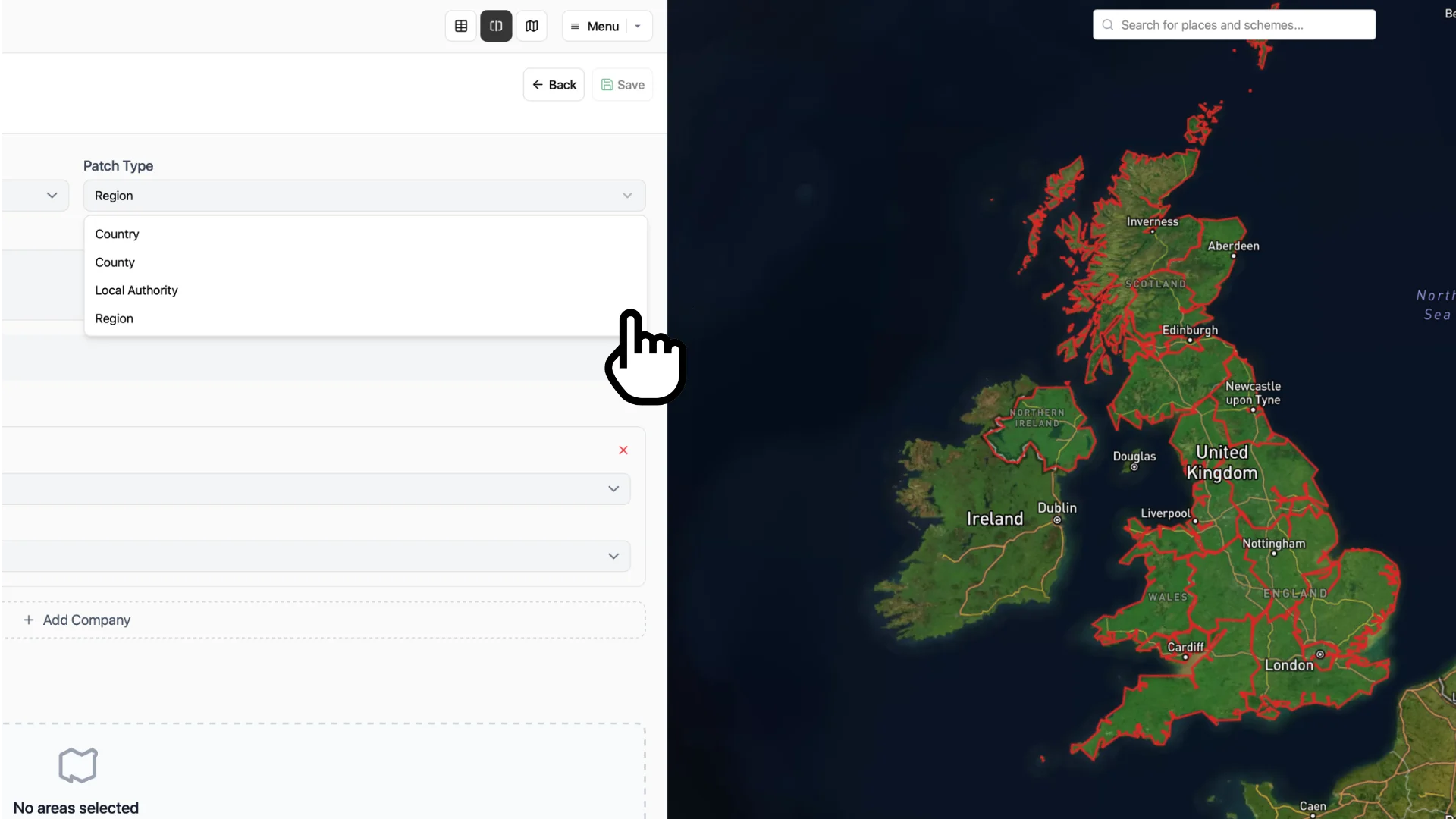
Setup Tenant Patches
Tenants use "patches" to break down and assign responsibility for geographical areas they operate from. RPD allows the creation of patches based on:
- Country
- Regions
- Counties
- Local Authorities
Add yourself to a tenant patch allowing other users to find you. It also adds the tenants properties from the patch to "My Properties", allowing yout to for manage them with RPD's tools.
Add and manage your data (with AI)
Overview of your portfolio
Lease event notifications
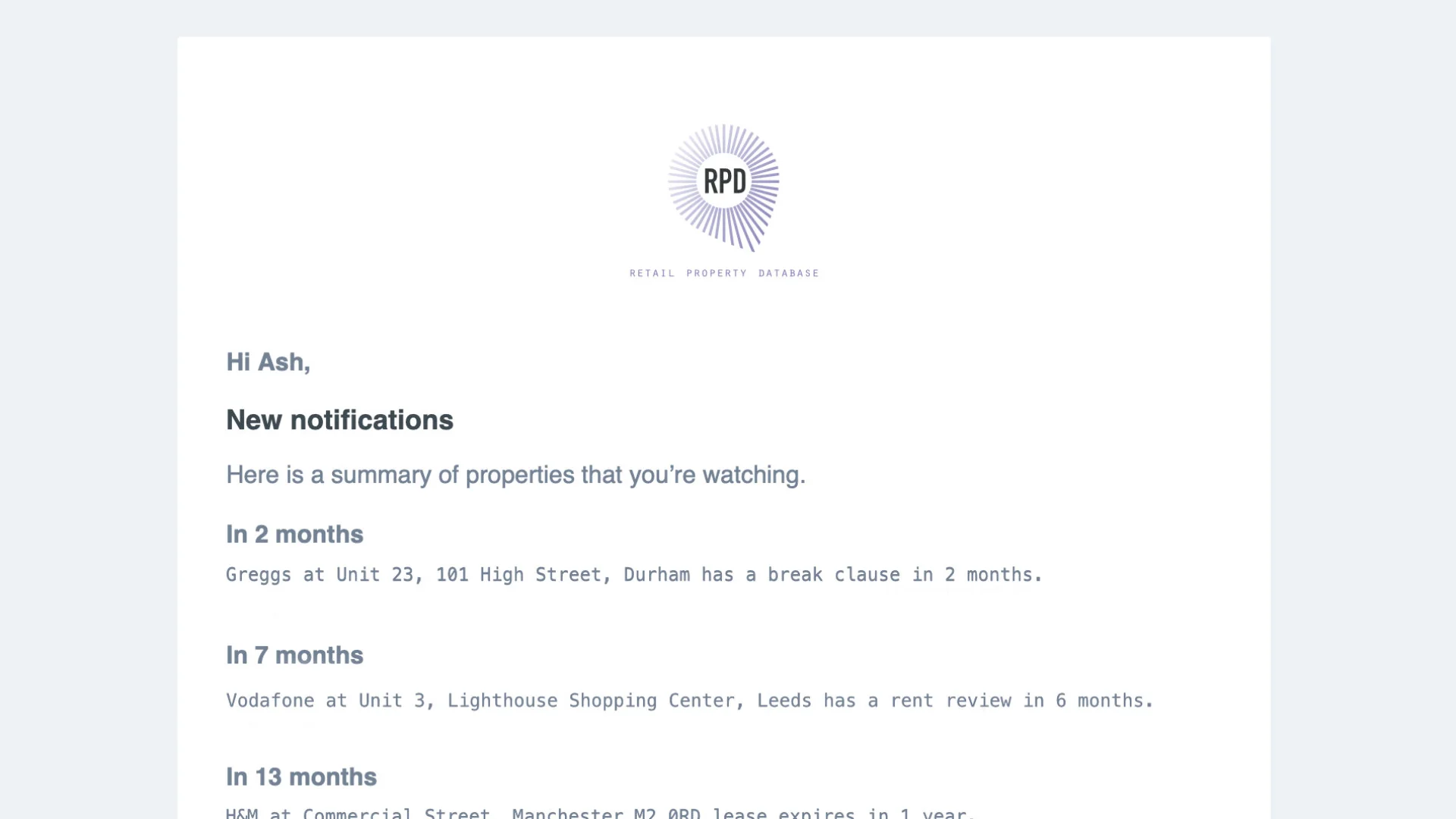
Users will receive a daily summary email about upcoming lease events, such as rent reviews, break clauses, and lease expires.
This helps users stay on top of their portfolio and ensures they are not missing any important dates.
Add custom fields
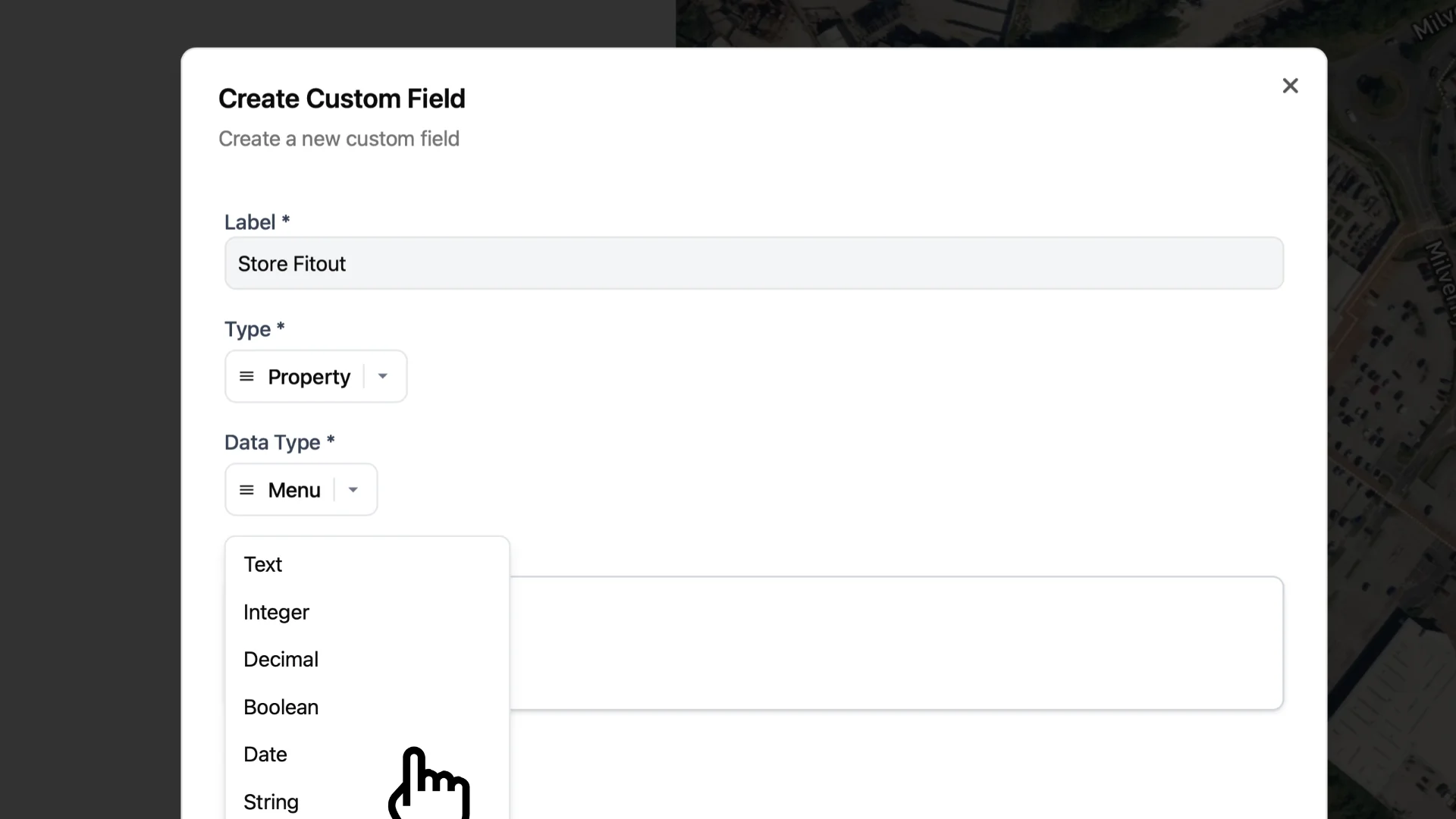
We know that different companies have differing data requirements, so RPD allows users to customize the fields saved against schemes and properties to suit their needs.
For example, a tenant may want to add a field for the store managers name and contact details, turnover or store opening hours, whilst a landlord may want to add a fields for schemes facilities manager.

Search for other contacts
Finding the correct contact for a property is only a few clicks away.
Browse the map and click on a property to see the contacts associated with it.